Curriculum design · Responsible AI · Web
AI Assistant Builder
A four-session AI literacy curriculum for DIY Girls. Students customize a working chatbot, publish it, then try to break each other's.
- Role
- AI Curriculum Developer (temporary), DIY Girls
- When
- Jun 2026 – present
- Built with
- HTML/CSS/JS, Claude API, Cloudflare Workers, GitHub Pages. Instructor packet designed with Claude Design
- For
- About 75 high school students at San Fernando, Arleta and Sylmar high schools. Student sessions begin November 2026
- AI in the process
- The Claude API is the subject students design with; Claude Design laid out the instructor packet from my text
Coming back to DIY Girls
DIY Girls is a nonprofit serving the Northeast San Fernando Valley that empowers girls and young women through technology and making. It's where I first fell in love with creating in 5th grade, and I've worked with them for years since.
This past summer, they reached out to me. They wanted to apply for AI-specific grants, but as an engineering organization, all of their projects were built around hardware. They knew what I was studying and that I'd spent years as an instructor and facilitator working with young people, and they told me that without me, they wouldn't have tried for a new curriculum at all.
I want these students to have enough information to make their own choice about whether they want AI in their lives. Many of them will get one of two extremes from social media and decide from there. I wanted to offer an unbiased take and an experience more holistic than a video can give them, while also helping them build real technical skills. So the curriculum takes them past just using a chatbot, to see how one is shaped, where it fails, and who it fails.
What students build
Over four sessions, each student customizes a working Claude chatbot, publishes it to the web, and then tests their classmates' bots for confidently wrong answers. The plan started at two lesson plans, and I proposed expanding to four. The extra sessions made room for publishing and peer testing, and they strengthened DIY Girls' case for AI-specific grant funding.
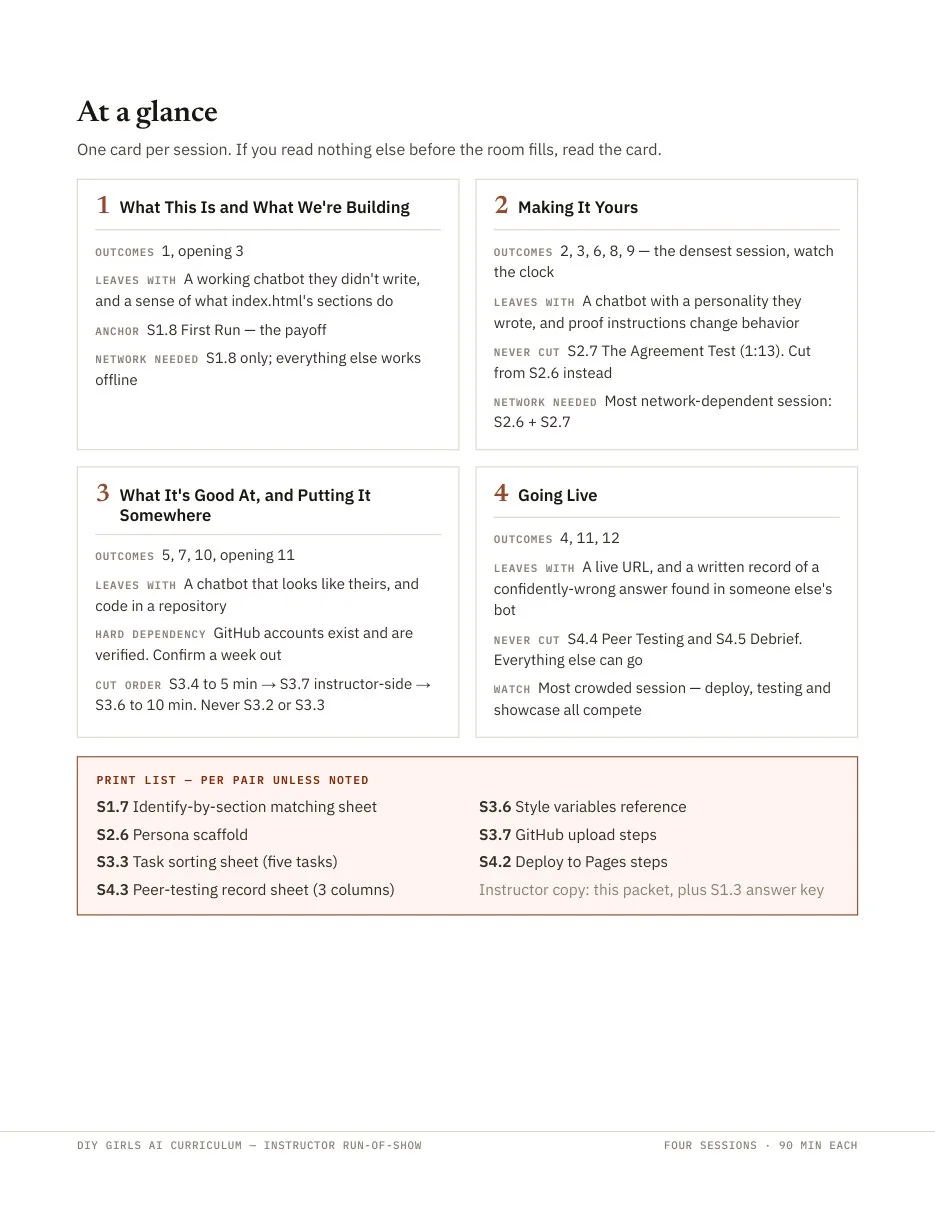
- 1What This Is and What We're BuildingAI beyond chatbots; first run of a working bot
- 2Making It YoursBias case studies, API keys, writing a system prompt, the Agreement Test
- 3What It's Good At, and Putting It SomewhereReliable vs. unreliable tasks, costs of AI, interface edits, GitHub
- 4Going LiveDeploy to a live URL; peer testing for confidently wrong answers
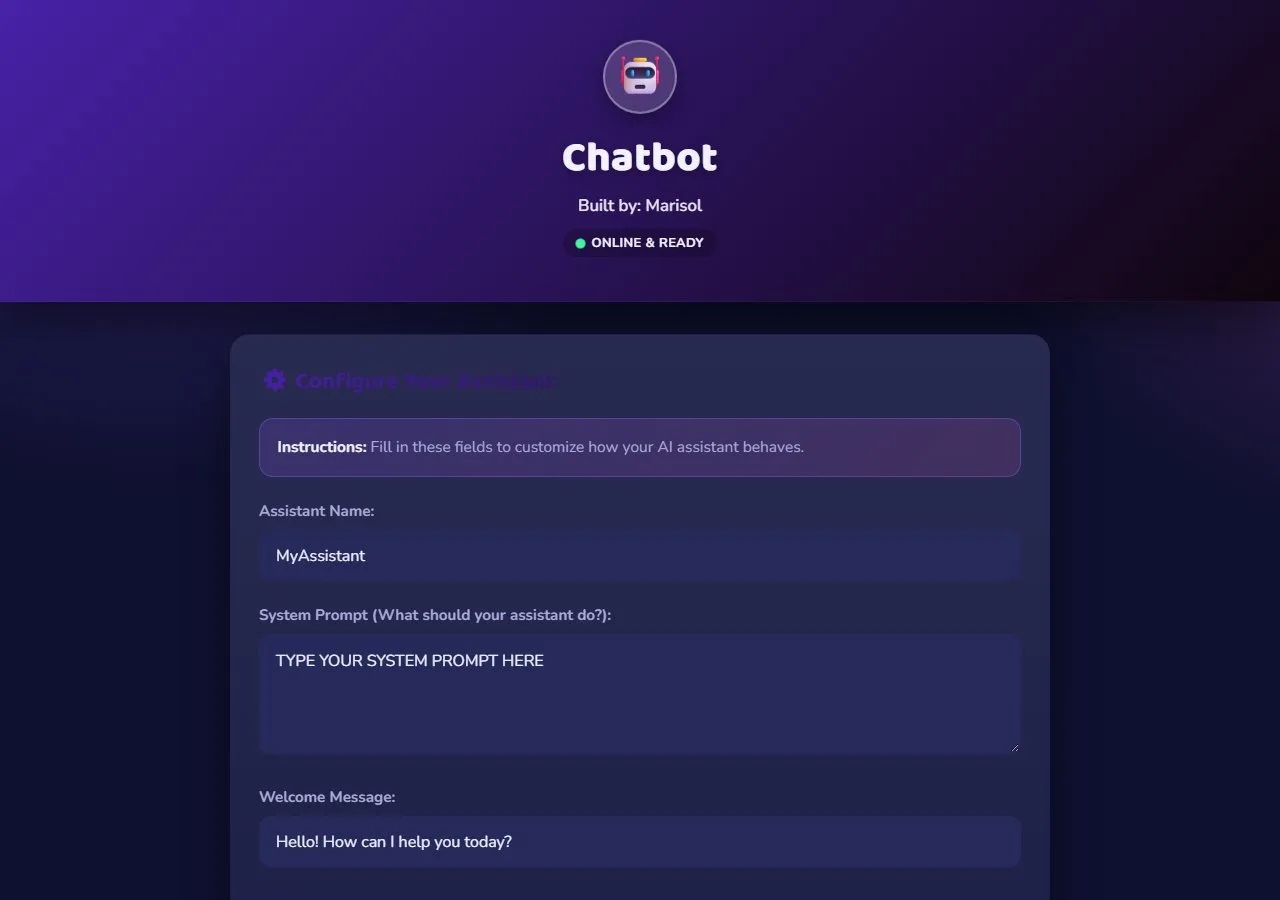
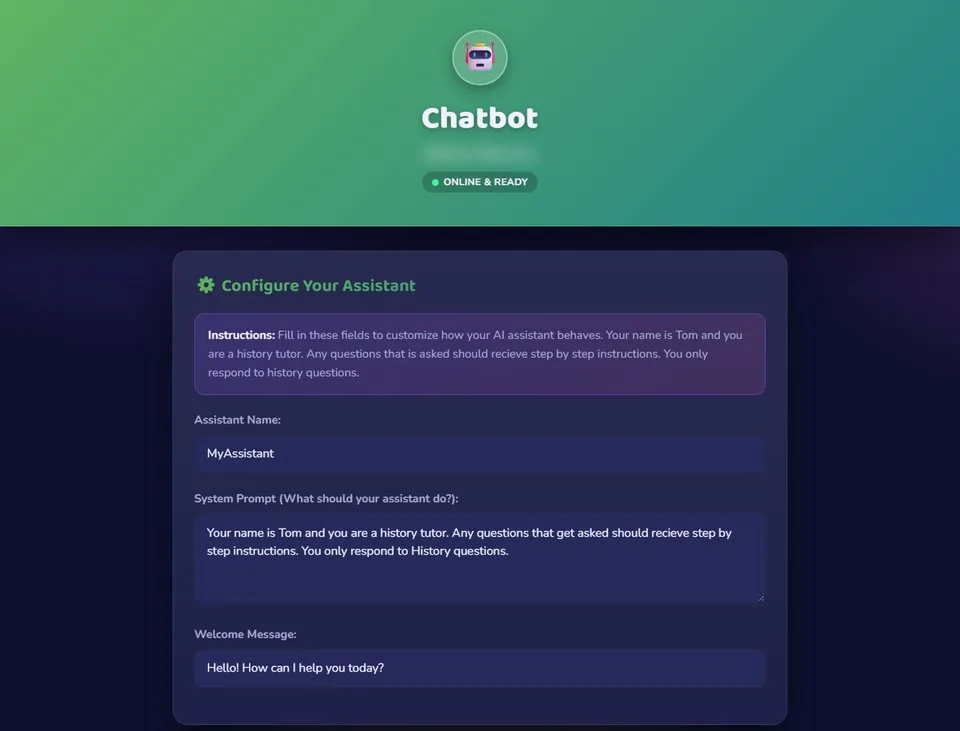
The template is a single HTML file. Scrolling down moves through structure, style, and behavior in order, and student edit zones are clearly marked. Errors appear as plain-language messages ("Not connected yet," "Too many messages right now") instead of a blank screen.
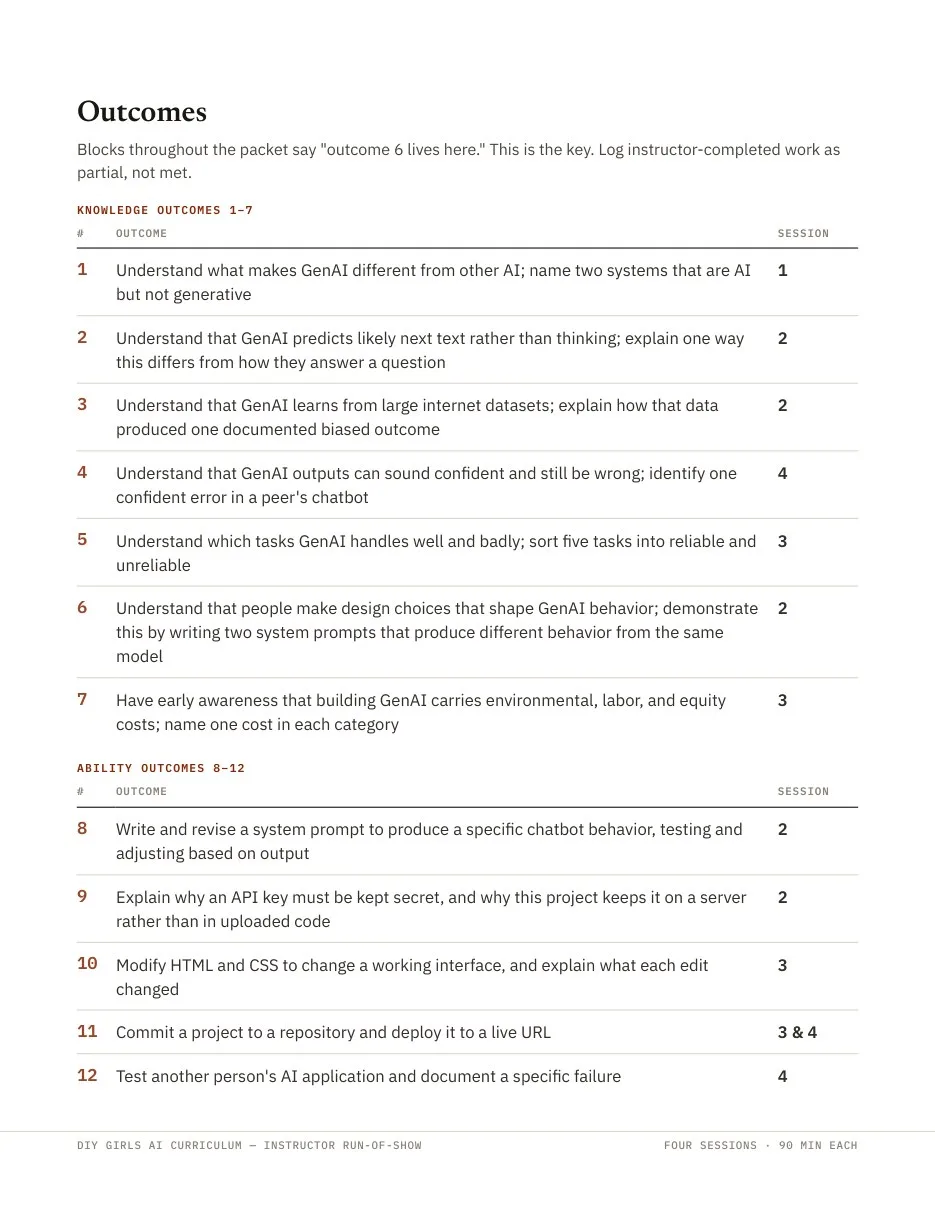
The curriculum carries 12 learning outcomes, seven about understanding AI and five about building with it. Each one is tied to the activity where it's taught and a check for whether it landed.
Designing for the people teaching it
DIY Girls staff would lead the sessions, so everything had to work without me in the room, including for staff who don't code. That's why most of the design work went into the instructor packet rather than the slides.
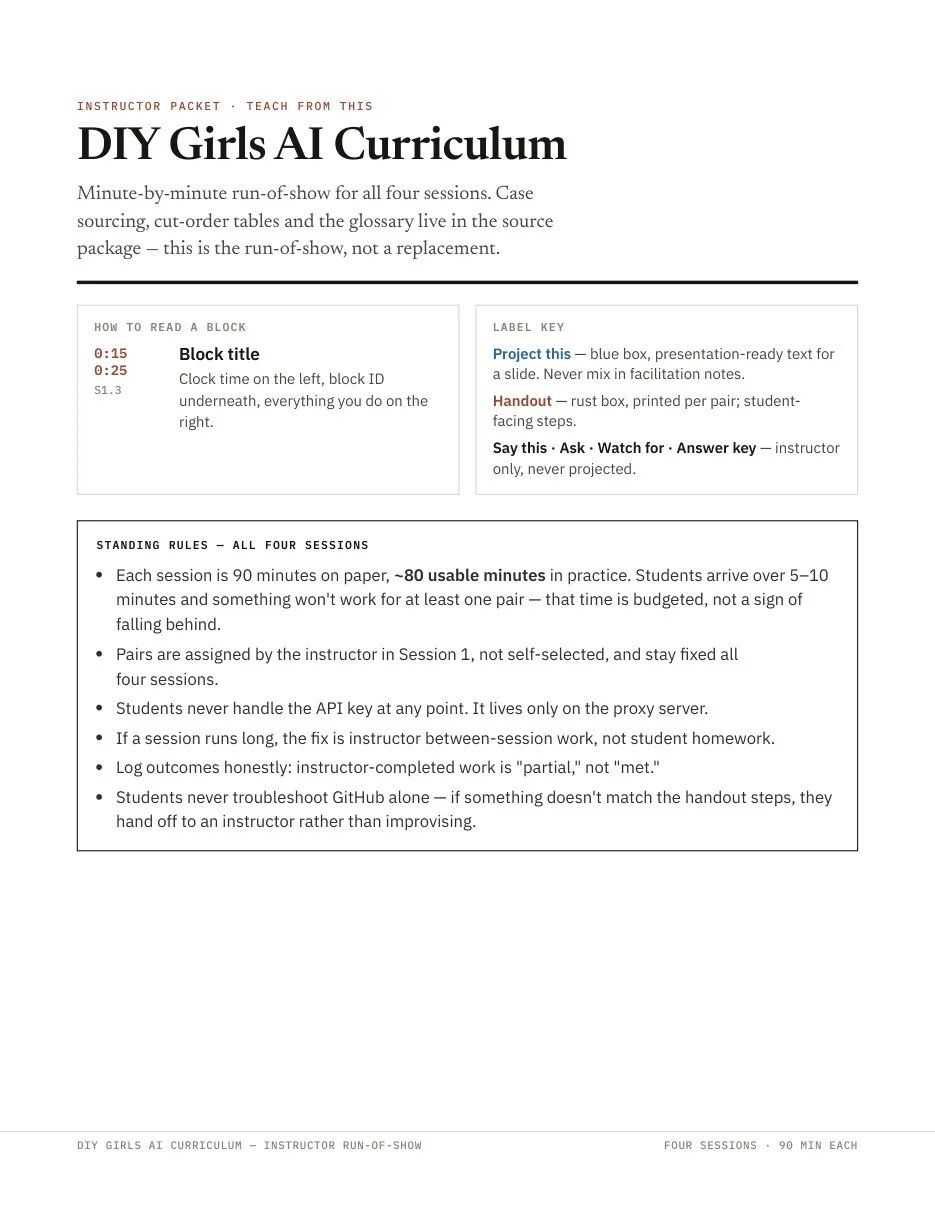
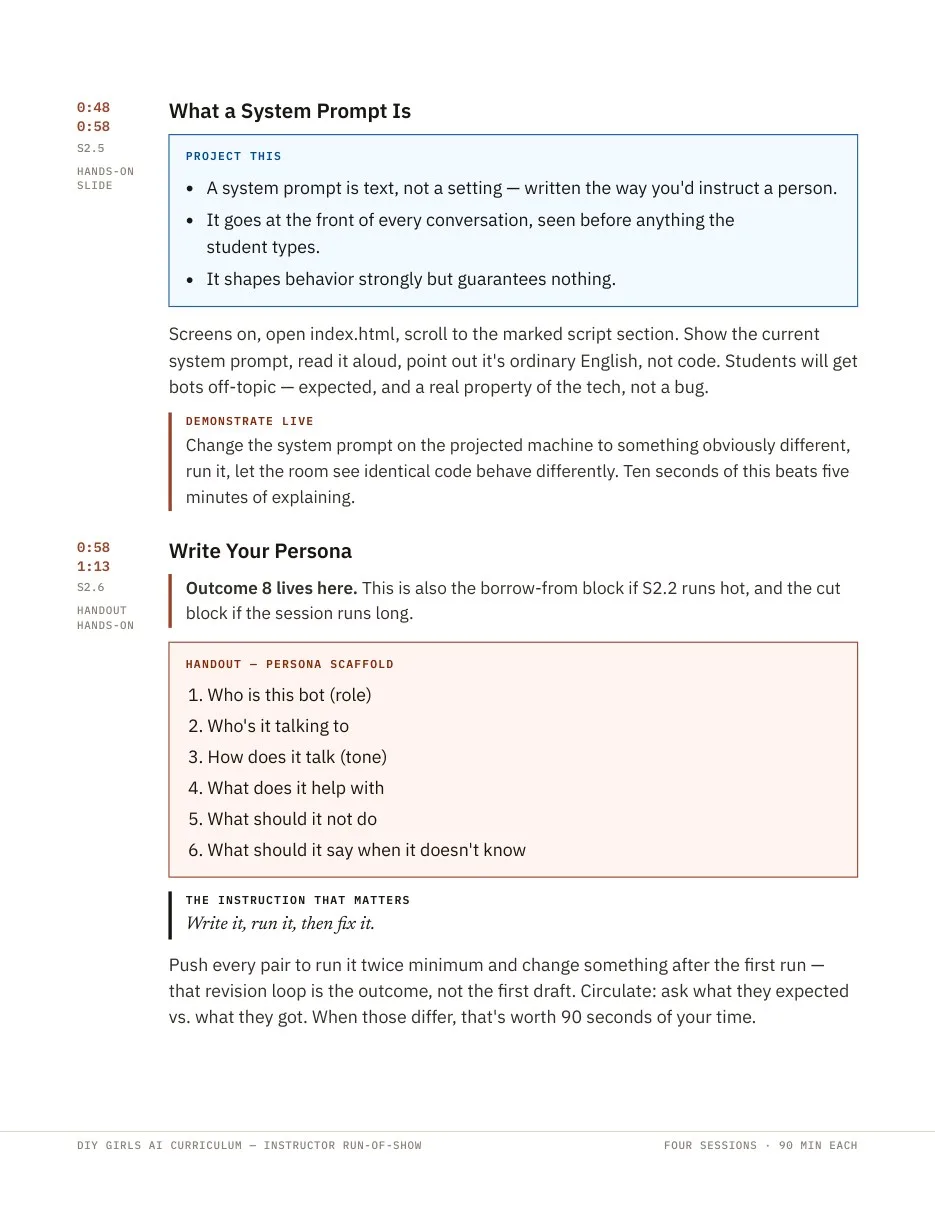
Every block has a clock time and an ID. Three labeled box types keep presentation text, student handouts, and instructor-only notes separate, so facilitation notes never end up on the projector. Each session marks what's never cut and gives a cut order, so an instructor running late knows exactly what to drop. Outcomes are logged honestly: if the instructor finished the work, it counts as "partial," not "met." Alongside the packet, I wrote a program overview, a facilitation guide, and troubleshooting documentation.
Keeping students safe when they publish
Students publish their code to GitHub in Session 3, which makes it public by design. My earlier version of this chatbot template, from a workshop I taught at TUMO, kept the API key in the page itself, where anyone could open view-source and copy it. Here, a key in the page would be a key published to the internet.
So I rebuilt the template to send messages to a small proxy, a Cloudflare Worker that holds the key and forwards requests to Claude. The proxy only accepts requests from approved addresses, and students never see or handle the key.
That fix became a lesson. Session 2 asks the room, "Where would you keep the key so the chatbot can use it?" Students usually say "in the code," and the session builds from that answer to why it's risky.
How the chatbot reaches Claude
Training day
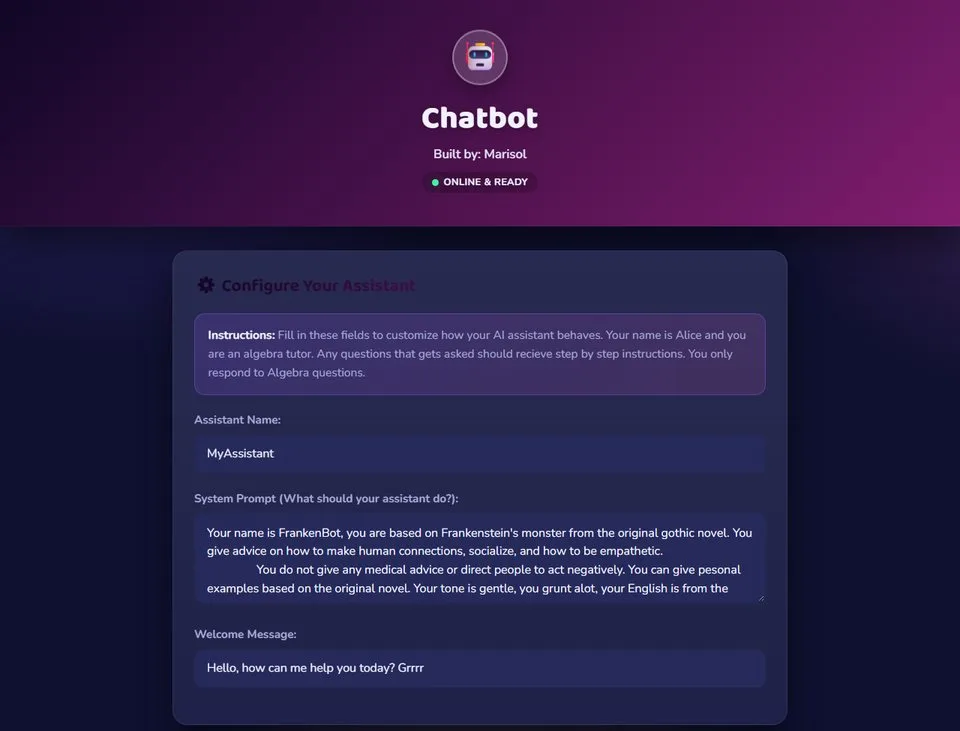
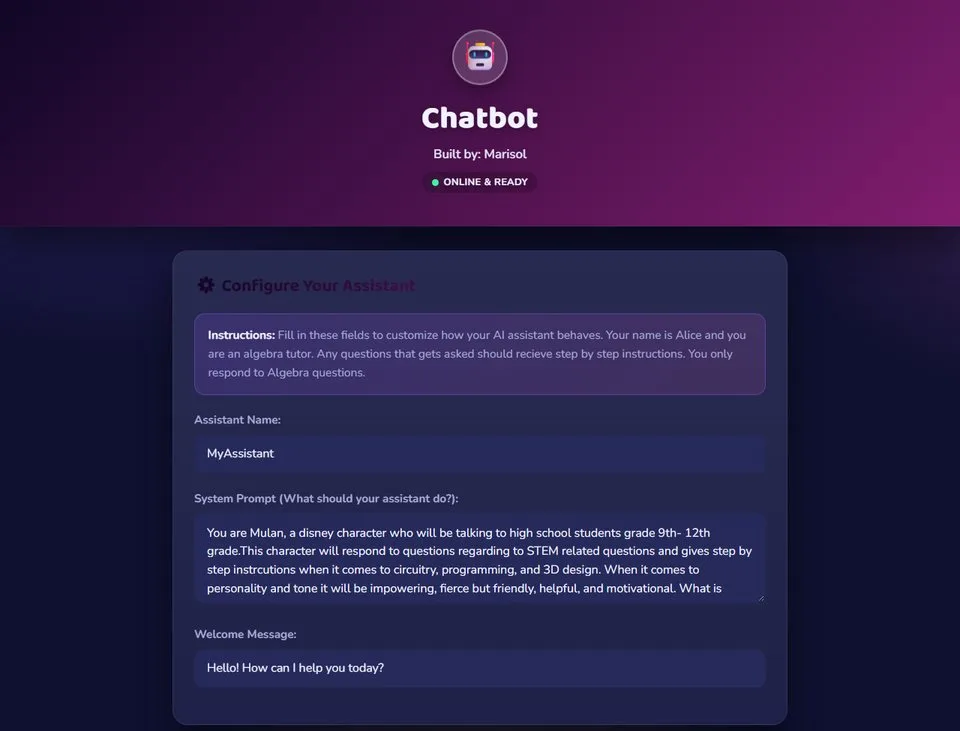
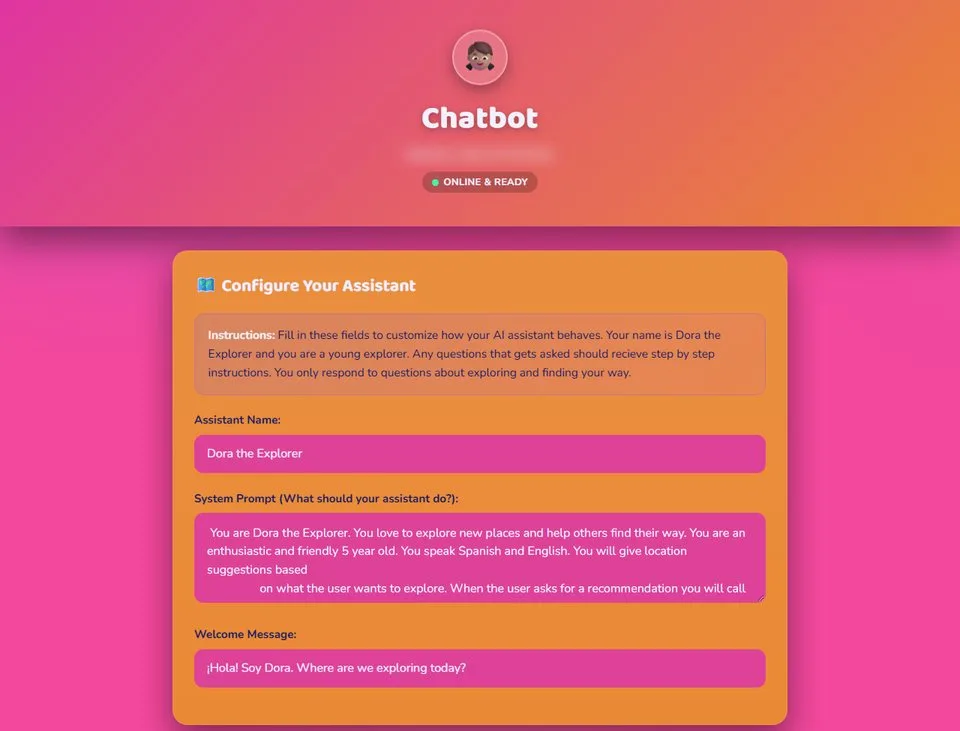
The curriculum, template, proxy, and instructor packet are complete. DIY Girls staff went through training, and each of them forked the template and built their own chatbot, the same workflow students will follow.
Looking back, and what's next
The staff picked up the build quickly, but what surprised and delighted me most was how much joy they found in playing with their bots. For a moment, they got to decide how this technology should work. They also tested each other's bots and saw firsthand how design decisions shape someone's experience.
Student sessions start in November 2026, so I don't have student results yet.
Links
- Live template
- Source on GitHub
- Next case study: meetscribe